
Create unique chocolate bar mockups on Pacdora with no stress!
Want to create attractive chocolate bar mockups to enhance your sales? Pacdora offers a variety of styles, including classic wrapped bars, sleeve packaging, and premium foil chocolate mockups, helping your packaging stand out. Simply upload your design, adjust a few details, and download high-quality 8K JPG/PNG images or MP4 videos for marketing and presentations.
How to make a chocolate bar mockup on Pacdora?


Select a chocolate bar mockup
Select the right mockup to start designing your chocolate bar mockup.


Upload your design image
Upload the image of your chocolate bar design to Pacdora and adjust the background, lighting, color, shadow, and effects.


Export your chocolate bar mockup
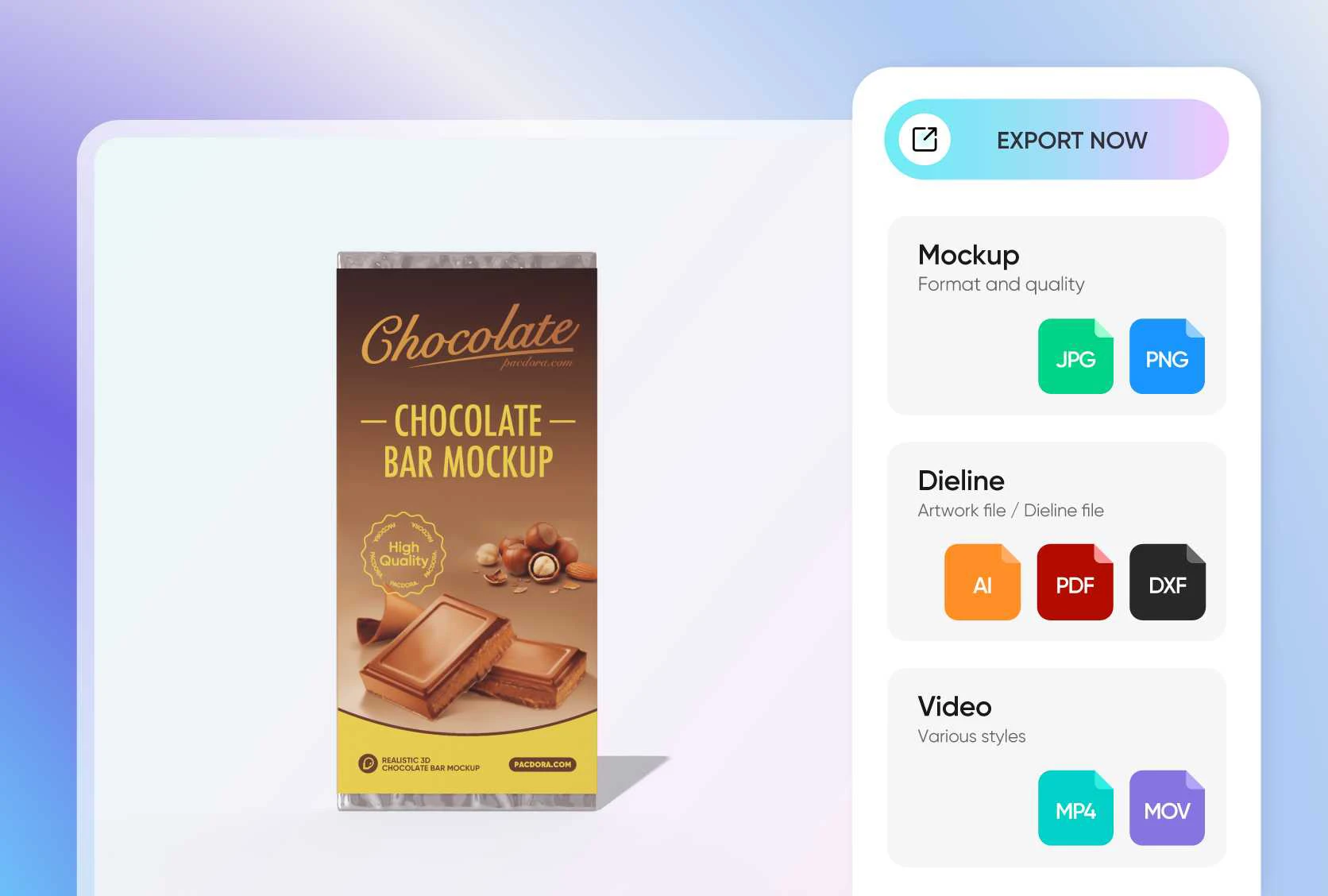
Export your chocolate bar mockups in any file format, including a shareable link, JPG/PNG images, and MP4/MOV video.
Highlights of Pacdora's chocolate bar mockups

A wide range of chocolate bar mockups
Pacdora provides a wide range of chocolate bar mockups for showcasing both chocolate wrappers and boxed packaging designs.
These mockups include common styles such as individually wrapped chocolate bars, sleeve packaging, and multi-bar boxes. Users can choose different mockup styles based on product positioning to clearly present packaging graphics, color schemes, and branding.

Upload brand design to attract customers
When working with chocolate bar mockups, you can easily upload chocolate-themed graphics, flavor illustrations, or your brand logo to customize the packaging design.
Pacdora supports customizing the scene, lighting, material, colors, shadow, and more to make your chocolate bar packaging design come to life immediately. We bring out the wrinkle, material, and fine textures of your chocolate bar mockup, ensuring it looks unbelievably realistic.
Export the most attractive presentation
Pacdora allows you to freely download high-quality chocolate bar mockups in multiple formats, including ultra-high-resolution 8K JPG and PNG images, videos, or shareable online links.
These options make it easy to present your chocolate packaging designs in stunning detail, whether for marketing campaigns, e-commerce displays, client presentations, or team collaboration.

Flexible backgrounds for chocolate packaging
The background of a chocolate bar mockup plays a key role in enhancing visual appeal. With Pacdora’s AI background generator, you can easily customize backgrounds to match different themes, such as cozy dessert scenes, premium studio settings, or playful brand styles.
This flexibility helps your chocolate bar mockups look more realistic and eye-catching, making them ideal for marketing visuals.

A wide range of chocolate bar mockups
Pacdora provides a wide range of chocolate bar mockups for showcasing both chocolate wrappers and boxed packaging designs.
These mockups include common styles such as individually wrapped chocolate bars, sleeve packaging, and multi-bar boxes. Users can choose different mockup styles based on product positioning to clearly present packaging graphics, color schemes, and branding.
Upload brand design to attract customers
When working with chocolate bar mockups, you can easily upload chocolate-themed graphics, flavor illustrations, or your brand logo to customize the packaging design.
By adjusting the placement, scale, and alignment of these elements, you can clearly highlight product flavors, brand identity, and key information.

Export the most attractive presentation
Pacdora allows you to freely download high-quality chocolate bar mockups in multiple formats, including ultra-high-resolution 8K JPG and PNG images, videos, or shareable online links.
These options make it easy to present your chocolate packaging designs in stunning detail, whether for marketing campaigns, e-commerce displays, client presentations, or team collaboration.
Flexible backgrounds for chocolate packaging
The background of a chocolate bar mockup plays a key role in enhancing visual appeal. With Pacdora’s AI background generator, you can easily customize backgrounds to match different themes, such as cozy dessert scenes, premium studio settings, or playful brand styles.
This flexibility helps your chocolate bar mockups look more realistic and eye-catching, making them ideal for marketing visuals.

FAQ
Is it difficult to create a chocolate bar mockup?
Creating a chocolate bar mockup on Pacdora is easy. Just follow these steps:
1.Select your desired mockup from the library.
2.Upload your chocolate bar design image.
3.Adjust your design by tweaking details like scene, angle, color, lighting, and texture till you’re happy with the result.
4.Export a high-resolution JPG/PNG image or MP4 video.
Designing your wonderful chocolate bar is that easy!
How can I choose the right chocolate bar mockups?
You can select the right chocolate bar mockups that best represent your product by considering your product shape, size, audience, material, color, and customer needs.
How many formats does Pacdora support to export your chocolate bar mockup?
Pacdora supports multiple export formats for your different usages:
1.Images: JPG/PNG (2K and 4K)
2.Videos: MP4/MOV
3.Dieline files (used for actual printing, commonly for box categories): AI-format/PDF/DXF
4.Shareable links
What impact do different export formats have on your chocolate bar mockup?
Images work well for things like social media posts and marketing materials. Videos are better for more engaging content, like product launches or client presentations. Online links are great for quickly sharing designs and getting feedback. Pick the format that works best for your needs!
Can I use Pacdora to create chocolate bar mockups for free?
On Pacdora, you can create chocolate bar mockups for free. However, you can upgrade to our premium service, which is optional. Check the pricing page for details.
Explore more mockups

