

AI toy packaging design
Describe an action figure, doll, or building set — Pacdora AI generates a retail-ready box with dieline and warning panel. No agency, no software, no waiting.
Trusted by leading companies


Packaging that grabs kids and reassures parents
Toy packaging does two jobs at once — wink at a kid from three feet away, and answer every safety question the parent's about to ask.
Pacdora AI does both. Describe your toy — a window-box action figure, a pastel doll, an unboxing construction kit — and the AI lays out the structure, age callout, and warning panel where retailers and parents look.
Why choose Pacdora AI for your toy packaging?
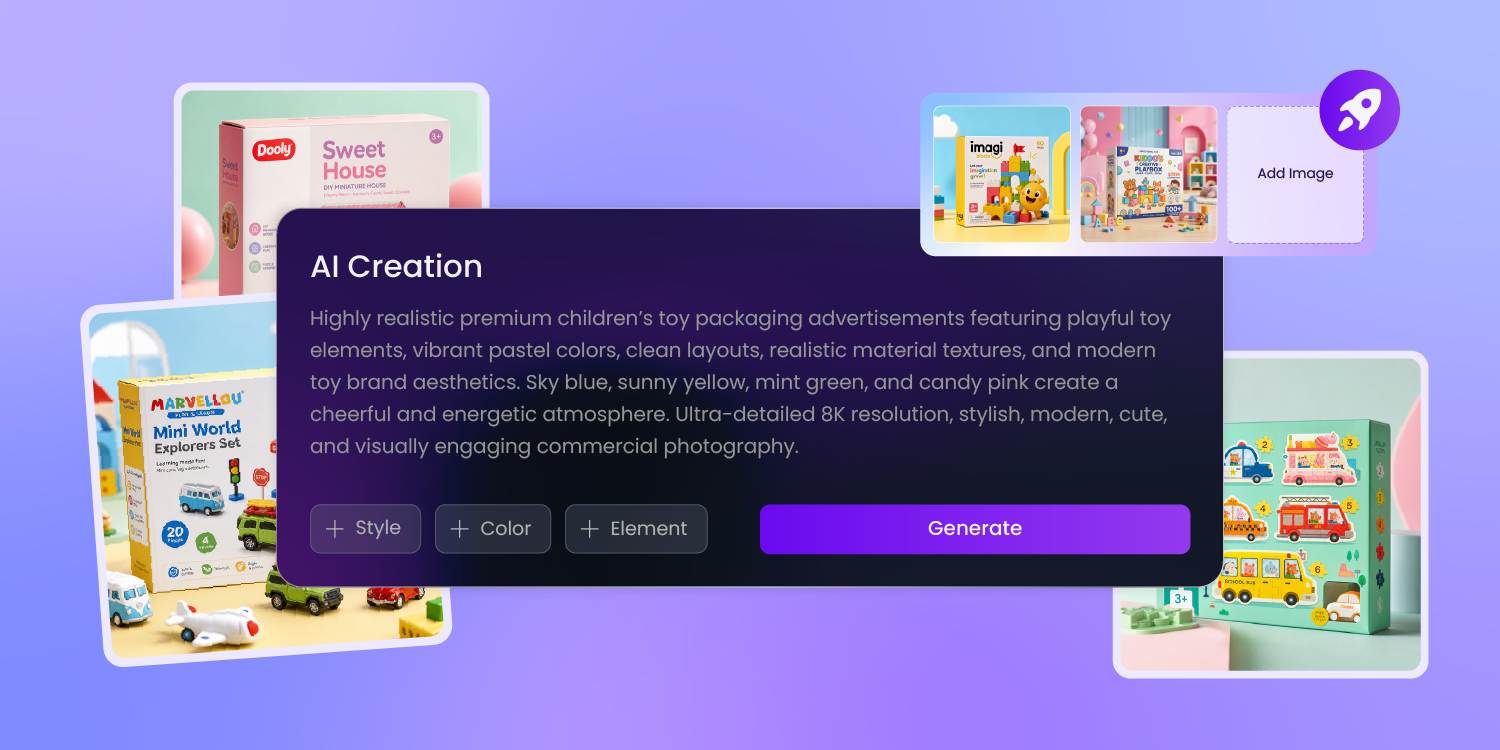
From a prompt to a shelf-ready box
Forget Illustrator and Photoshop. Describe your toy — action figure, doll, building set — and Pacdora AI handles layout, color balance, and panel hierarchy.
What used to take a senior toy designer a full week takes you one prompt and a few iterations.
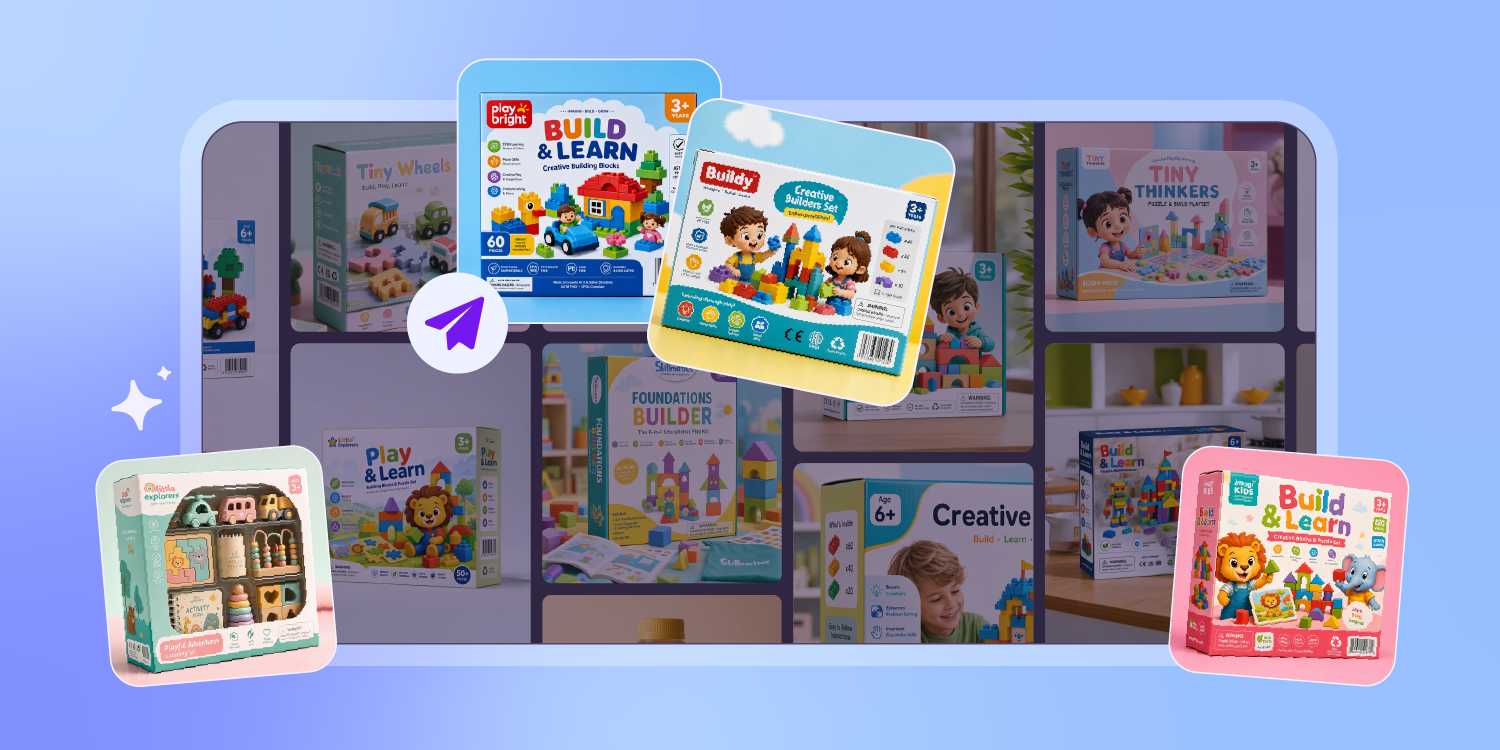
Built for toys, not generic boxes
Generic AI tools don't know that an action figure box needs a window and a comic-book hero zone, while a pastel doll set needs softer palettes and clear age cues.
Pacdora AI applies the visual language of the specific toy category you describe — not a stock template.
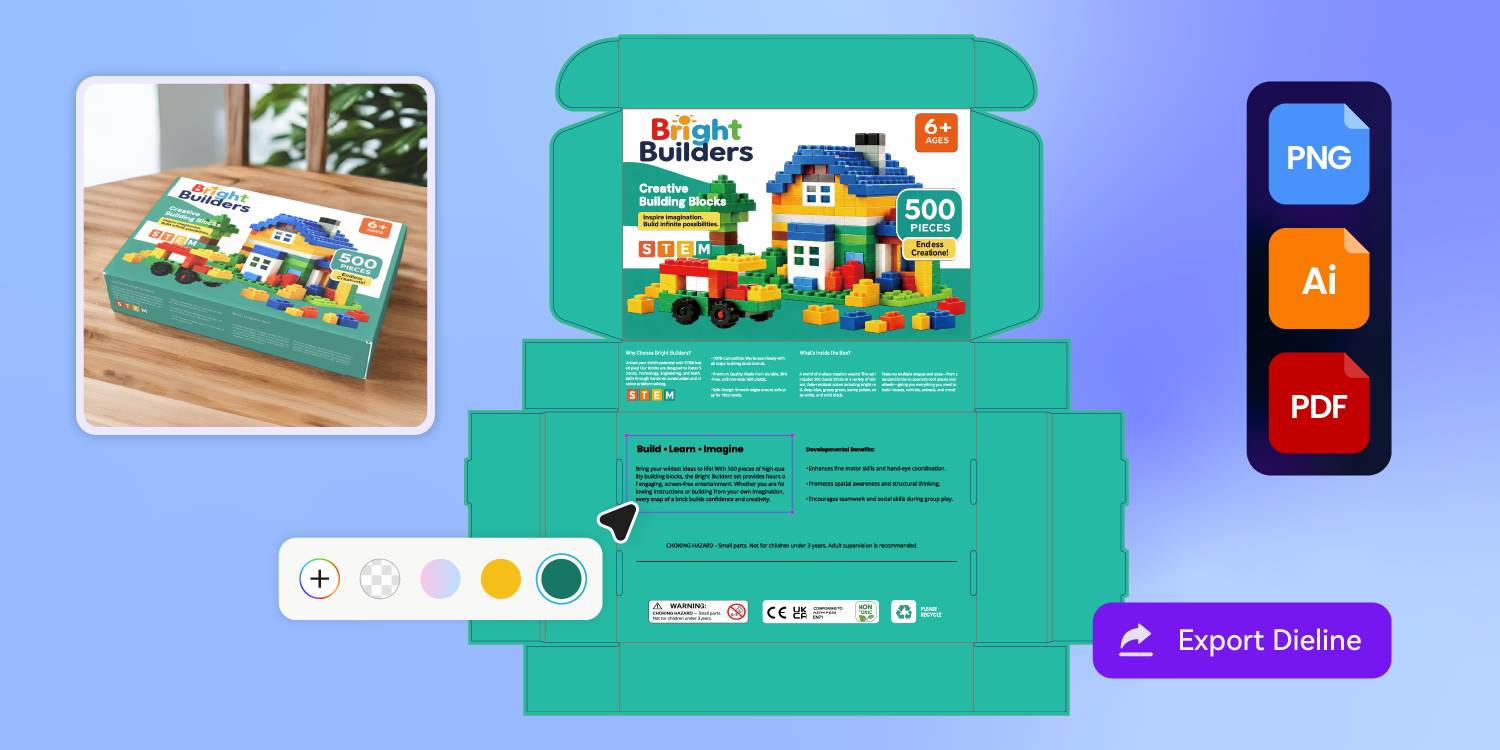
Age grade and warning panel, handled
A US toy box needs the producer name, age grade, and choking-hazard line where retailers and parents expect them.
Pacdora AI places the age callout, hazard icons, and the safety panel on layout from the start — so you can review compliance copy with your team, not redesign the whole face.
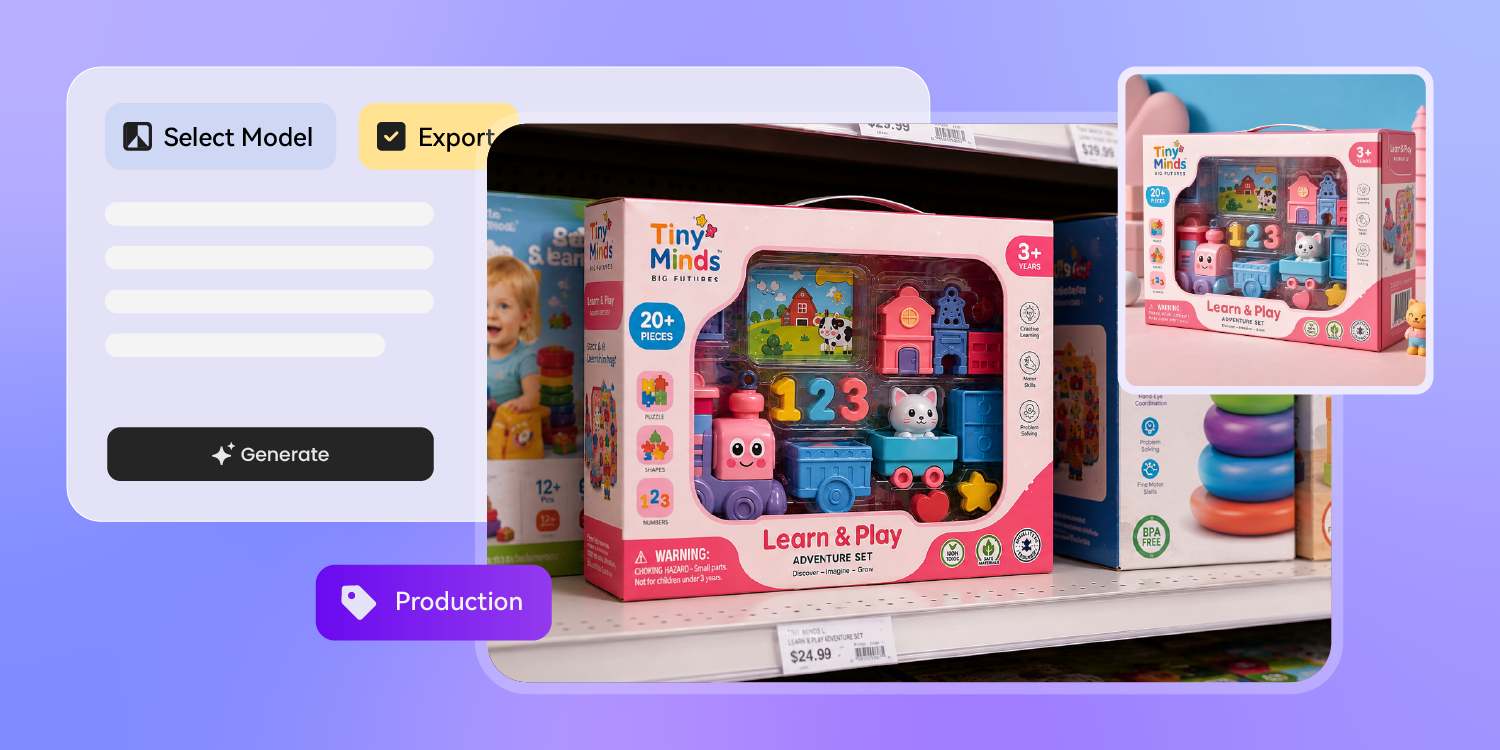
Dieline and listing visuals in one shot
Other tools give you a flat image you can't print, or a mockup with no design.
Pacdora AI generates the artwork on the actual dieline — bleed and fold lines honored — plus a photoreal toy box visual ready for Amazon listings and Kickstarter pages, before the first sample ships.
How to design toy packaging with AI?
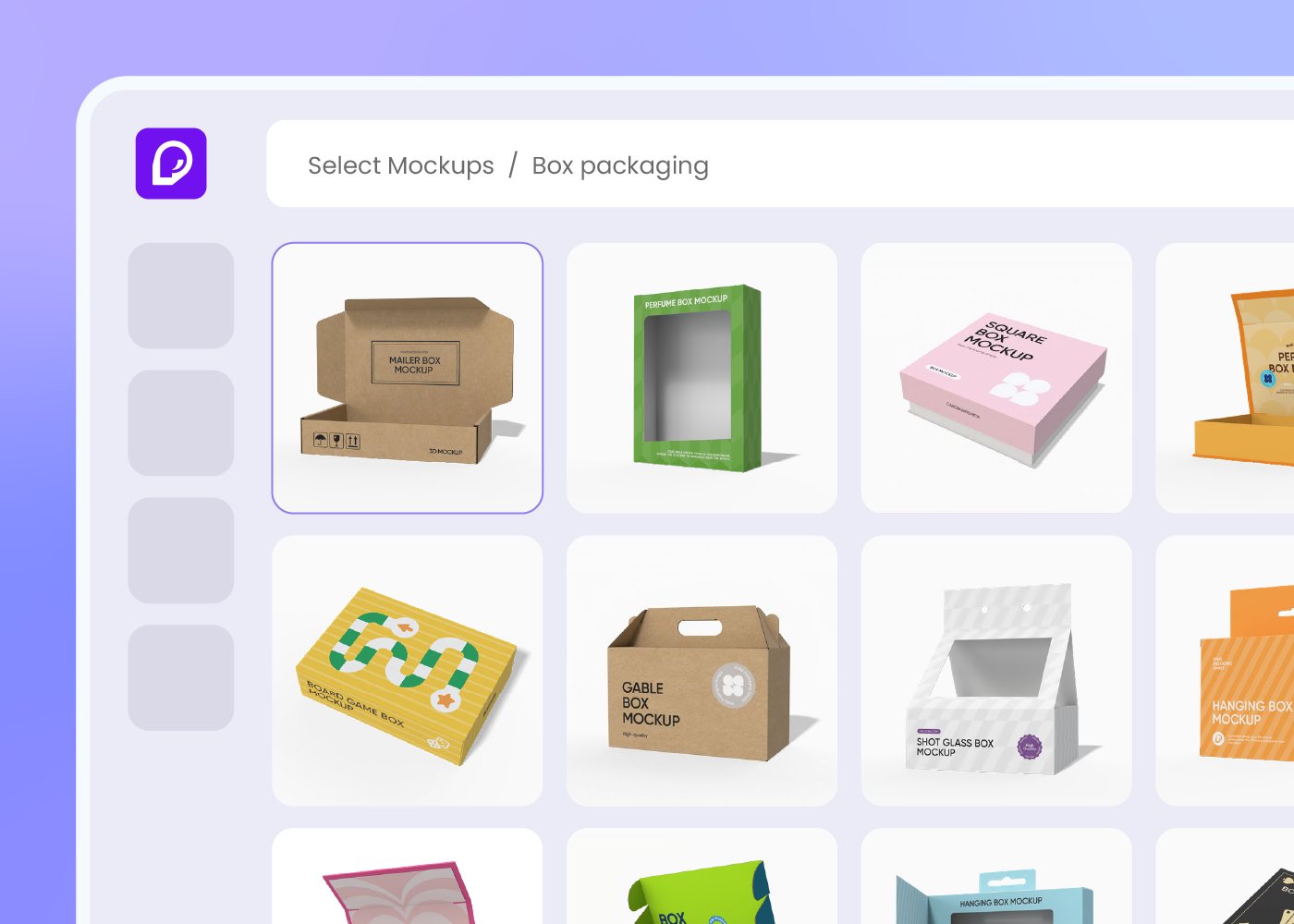
Step 1: Choose your toy box type
Pick a toy box from Pacdora's 7,000+ library — blister card for action figures, window display for dolls, gift carton for sets, mailer, and more.
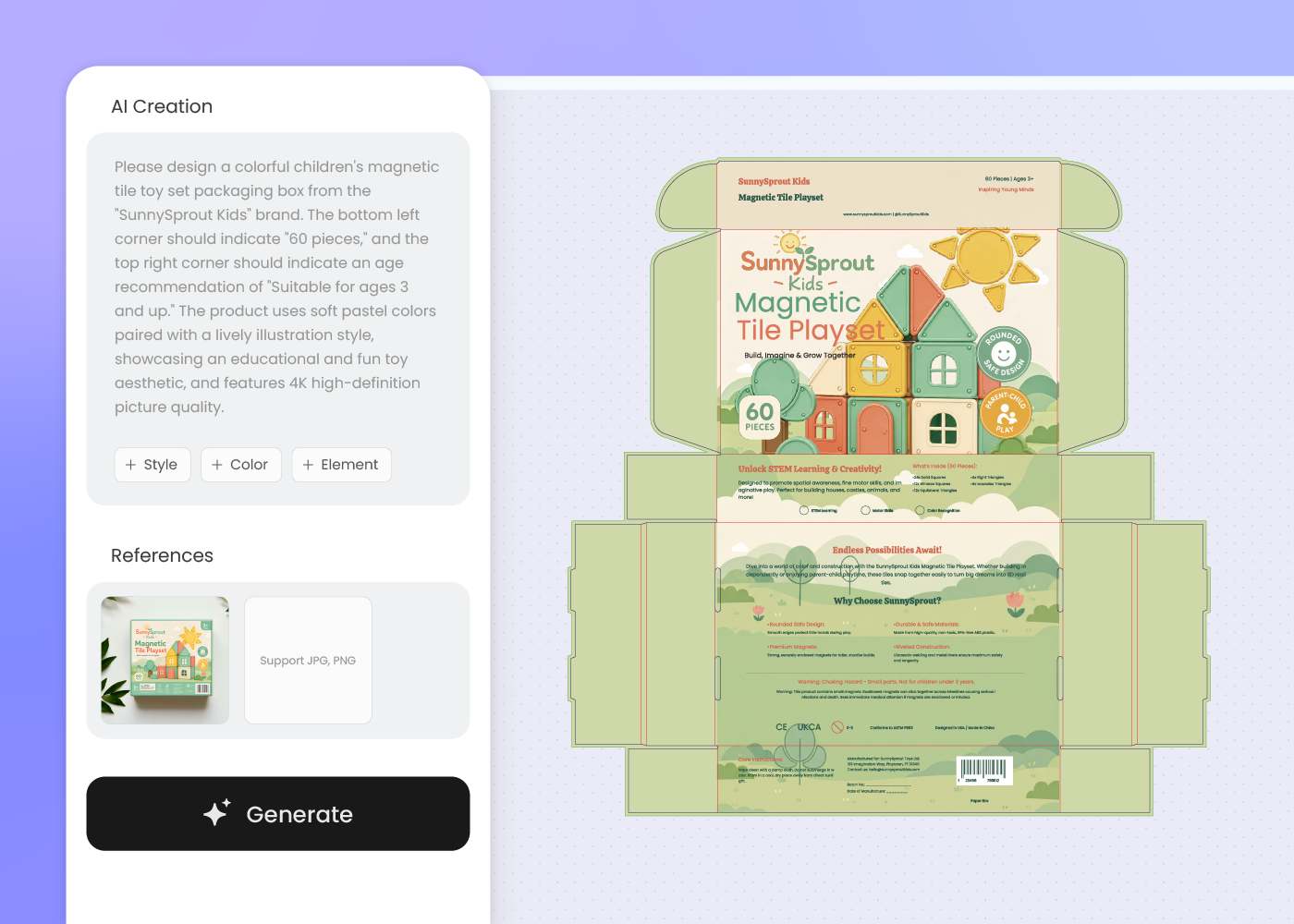
Step 2: Describe your toy and design vision
Enter your toy name, age range, brand vibe, and character cues into the AI creation box. Pacdora lays out the box around your prompt.
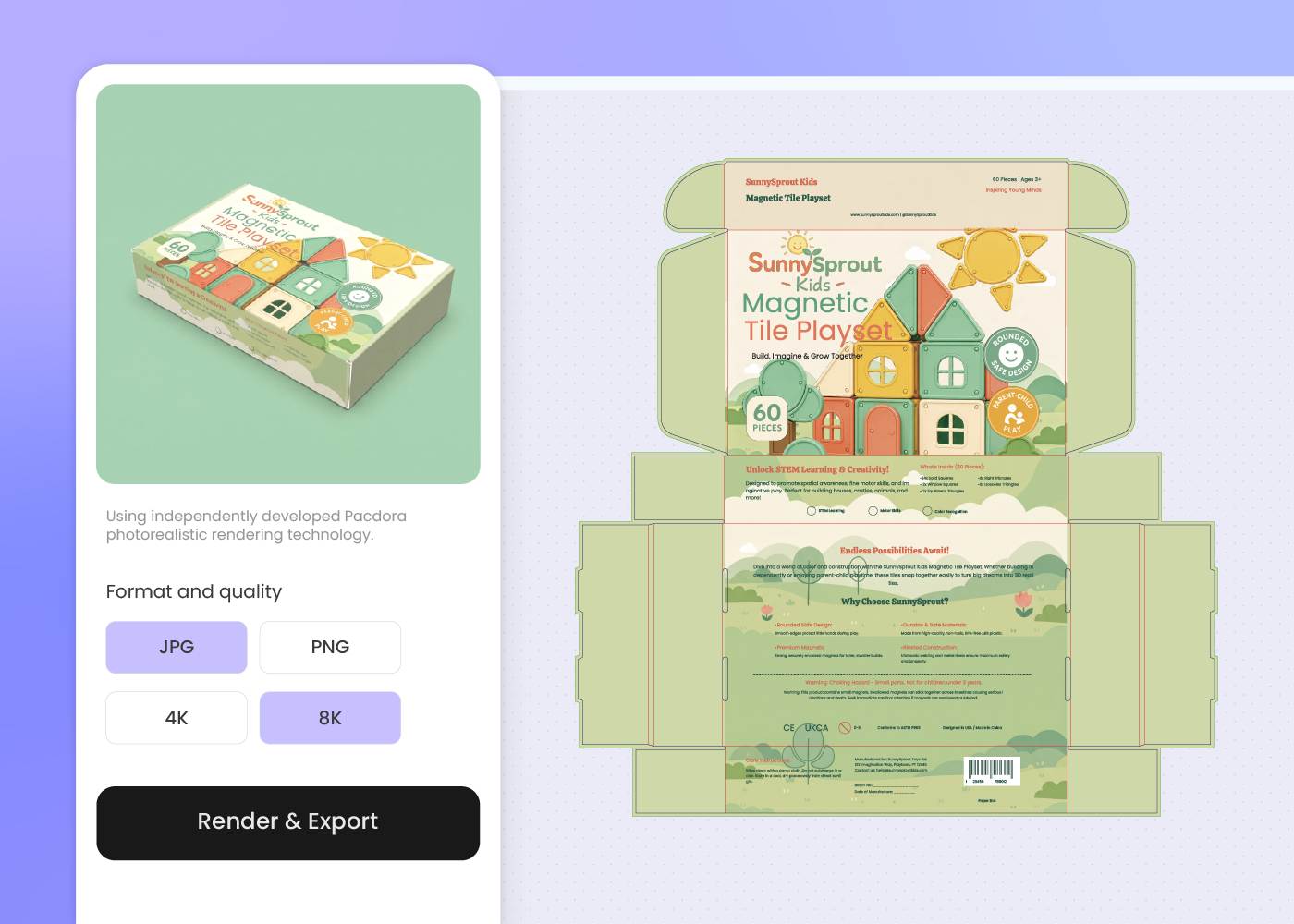
Step 3: Download in HD, ready for use
Download your toy packaging in HD PNG or JPG with the print-ready dieline — sized for Amazon listings, supplier briefs, and pre-launch social.
Step 1: Choose your toy box type
Pick a toy box from Pacdora's 7,000+ library — blister card for action figures, window display for dolls, gift carton for sets, mailer, and more.
Step 2: Describe your toy and design vision
Enter your toy name, age range, brand vibe, and character cues into the AI creation box. Pacdora lays out the box around your prompt.
Step 3: Download in HD, ready for use
Download your toy packaging in HD PNG or JPG with the print-ready dieline — sized for Amazon listings, supplier briefs, and pre-launch social.
FAQ
Frequently asked questions
Can I keep multiple toys in the same line looking on brand?
Yes. Once you have a base box you like, describe the next toy in a fresh prompt — keep the brand block and window structure, swap the character art and color cue. Pacdora AI keeps the line consistent across age tiers and themes.
What information do I need to include on toy packaging?
For a US toy box you typically need the producer or distributor name and address, the age grade, the choking-hazard warning if it applies, and any battery or material safety notes. Pacdora AI lays out a panel for these so the structure is ready when you finalize the wording with your compliance team.
What toy packaging formats does Pacdora support?
Pacdora supports the box formats real toy SKUs ship in — blister cards for action figures, window display boxes for dolls, gift cartons for sets, drawer boxes, mailer boxes, and stand-up plush hangtags. Pick a structure that matches your toy, and Pacdora AI designs around it.
Can I get a print-ready dieline, not just a flat design?
Yes. Every design generates on the dieline of the box you picked — bleed, fold lines, and safe area honored from the first draft. Send the file straight to your printer without a separate prepress step.
How much does AI toy packaging design cost?
You can start designing toy packaging for free using Pacdora's starter credits. Credits are consumed based on the number of designs you generate. Check your account balance before generating, or upgrade for more credits anytime. For full details on plans and credit packages, see our Pricing Page.
Can I use my AI-generated toy packaging design commercially?
Yes. As long as you comply with our Terms of Service, AI-generated toy packaging designs can be used for any commercial purpose — including retail packaging, Amazon and Walmart listings, and investor decks.
Explore more free tools
Discover more about Pacdora
4M+
designers trust Pacdora
Toy packaging, perfected by AI.
