

AI coffee packaging design
Roasting a new origin? Brief the roast and tasting notes — Pacdora drafts the bag, valve zone and all.
Trusted by leading companies


A bag built around the valve, not over it
Roasted coffee is a race against oxidation — the bag has to vent CO2 through a valve, flag a roast date the shopper trusts, and still look like a brand worth seeking out. Pacdora drafts it from a roast brief, valve zone marked, ready for the cafe shelf.
Why choose Pacdora AI for your coffee packaging?
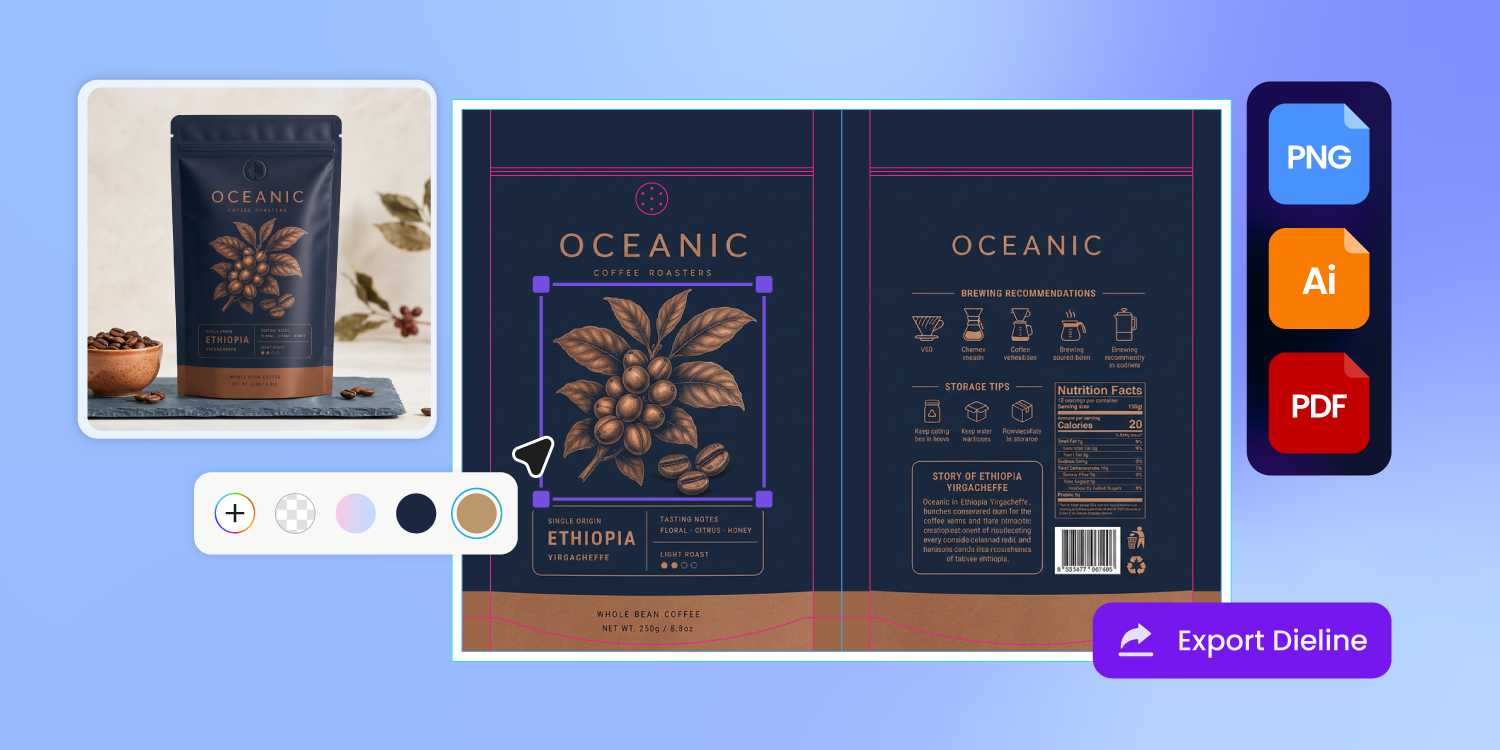
Your art won't cover the valve
A degassing valve sits center-front, upper third — freshly roasted beans need it to vent CO2 or the bag bloats in transit.
Pacdora's pouch dieline marks the valve zone before you design, so your origin art lands around it, not under it, and the printer plates the file as-is.
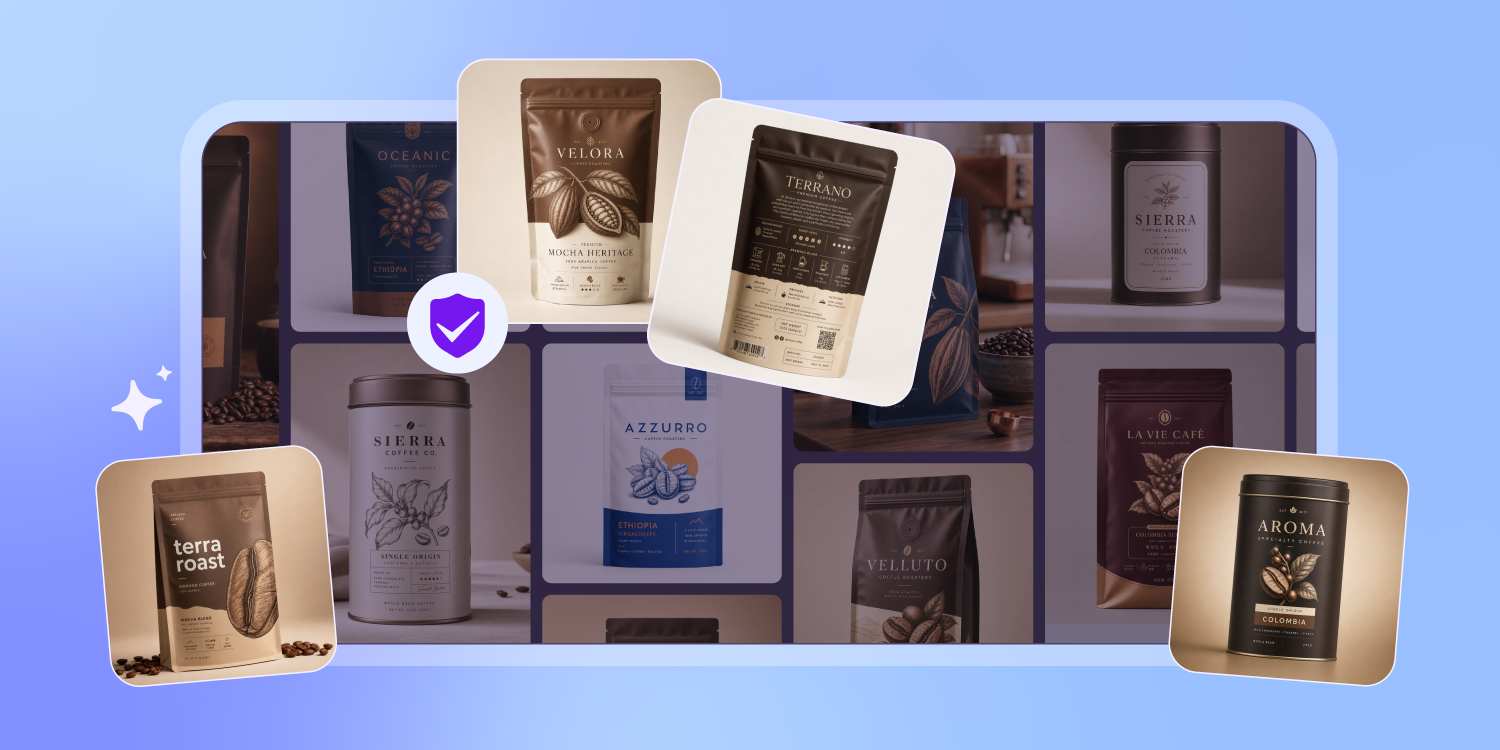
Roast date front, origin story back
A coffee bag carries more than a wine label — roast date, origin, altitude, process, varietal, brew ratio.
Pacdora is trained on packaging, so it sorts them the way roasters do: roast date and three flavor notes up front where freshness sells, the process and altitude story on the back.
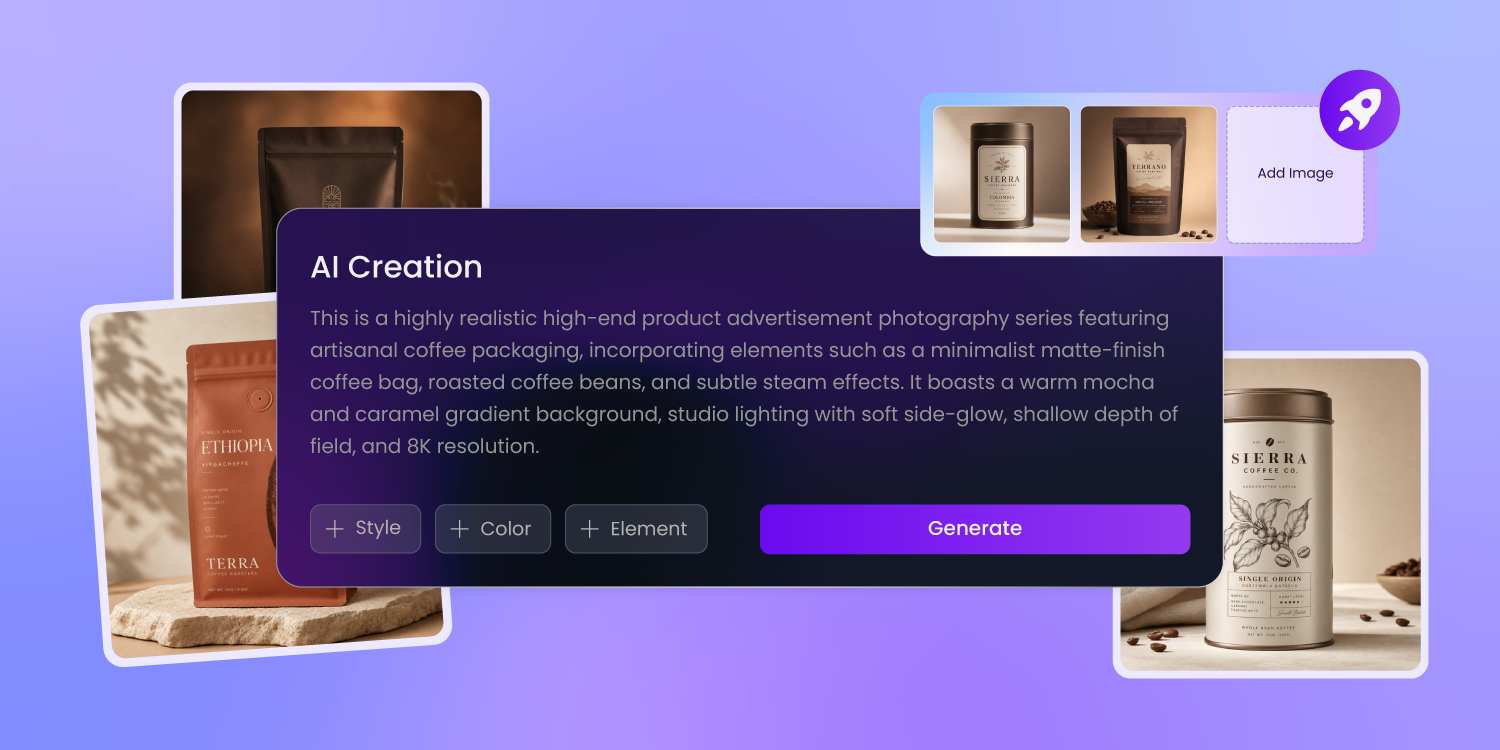
Two prompts, two bags — one coffee
Describe the whole-bean bag, then describe the ground — Pacdora drafts each one from your text alone, no Illustrator or design agency in between. Ground oxidizes faster and wants a resealable zipper the whole-bean bag can skip.
Pacdora gives each version the right spec.
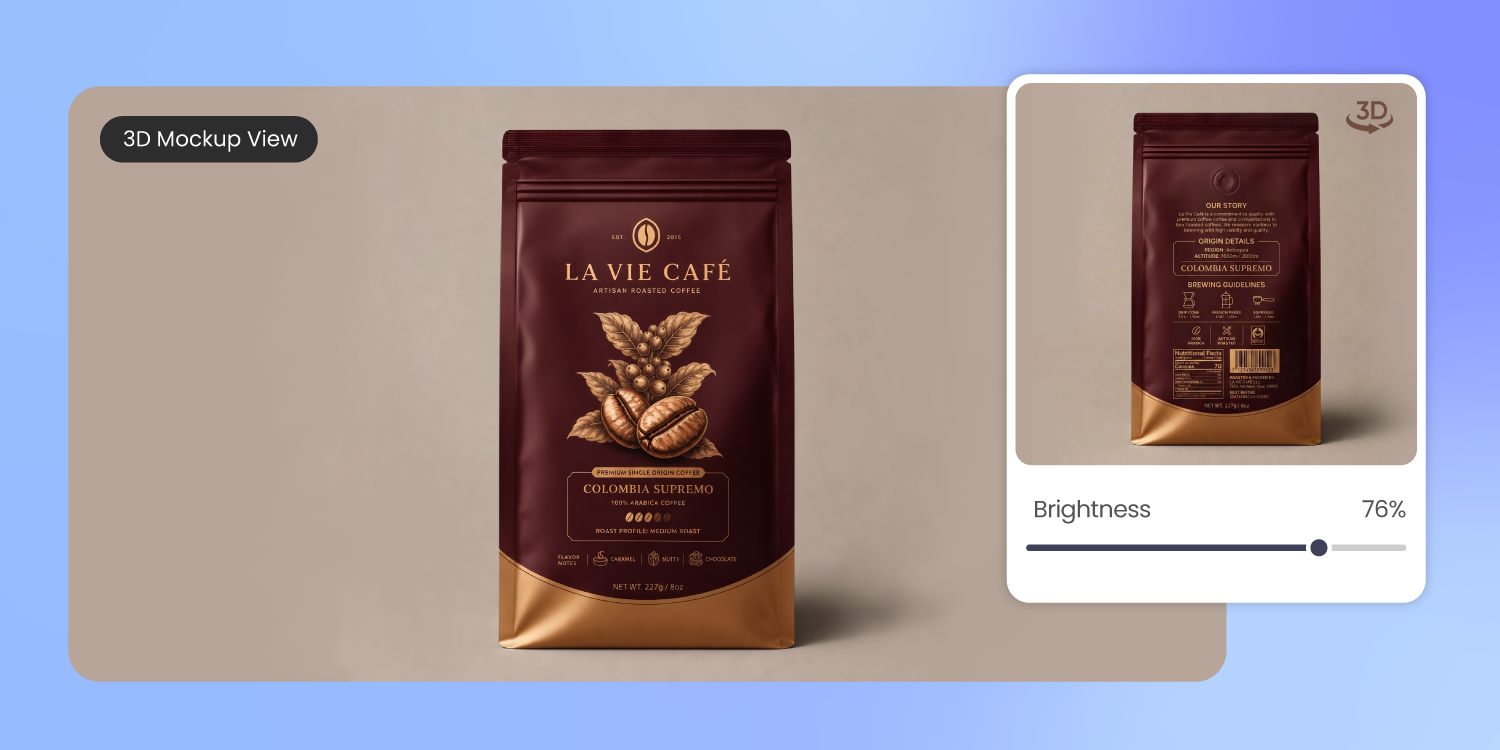
Preview the finish, not flat art
Kraft paper looks nothing like matte foil or a metallized bag — but flat artwork shows none of it.
Pacdora's 3D preview renders your coffee bag in real light and material, so the kraft, the foil, or the gloss you brief is what the printer ships.
How to design coffee packaging with AI?
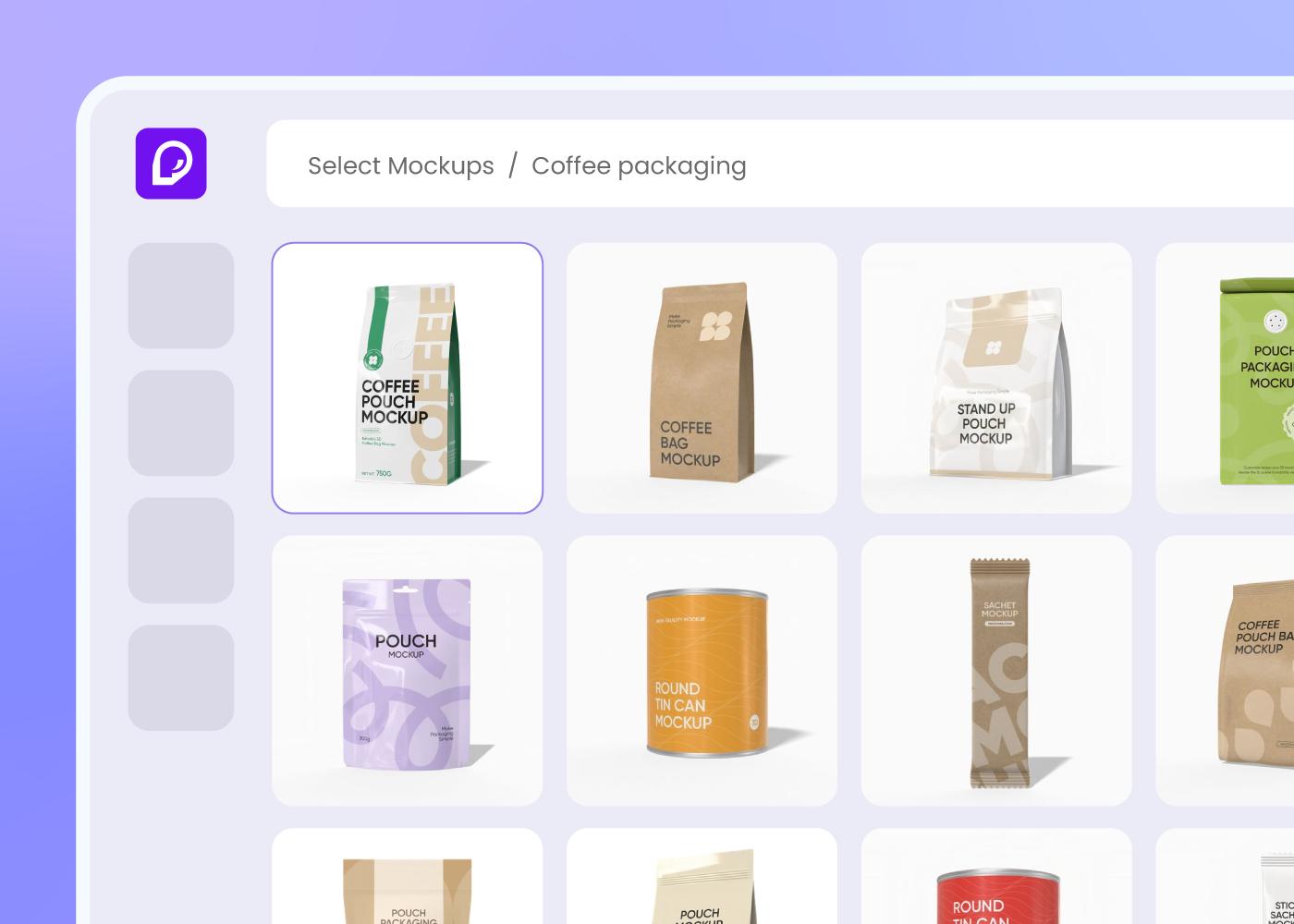
Step 1: Choose your coffee container
Pick from stand-up pouches with valve, instant coffee sticks, drip bags, or tin cans — Pacdora loads the dieline for each.
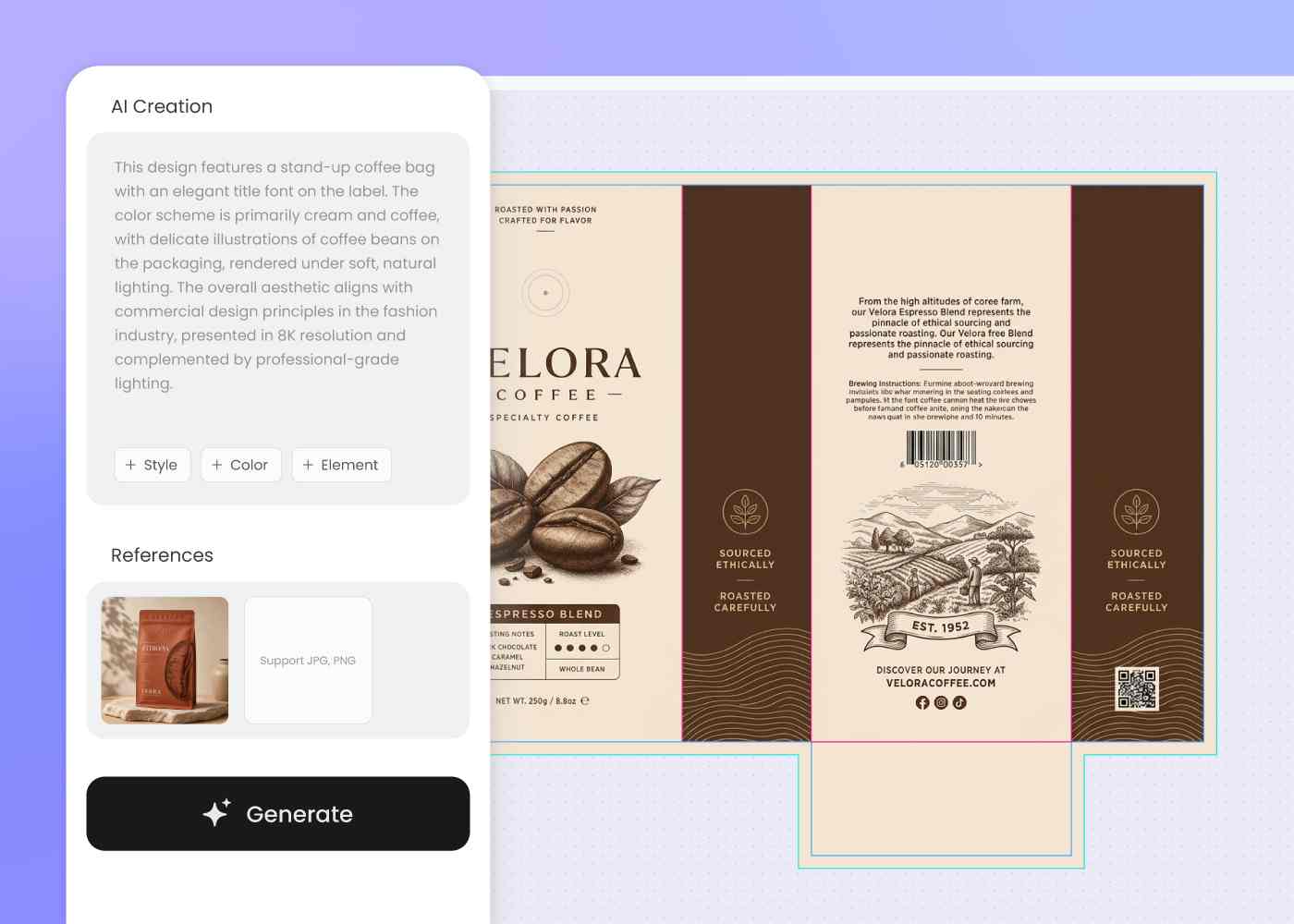
Step 2: Describe the origin and roast
Enter the origin, roast level, brand world, and tasting notes. Regenerate until the bag, stick, or tin reads as one roast.
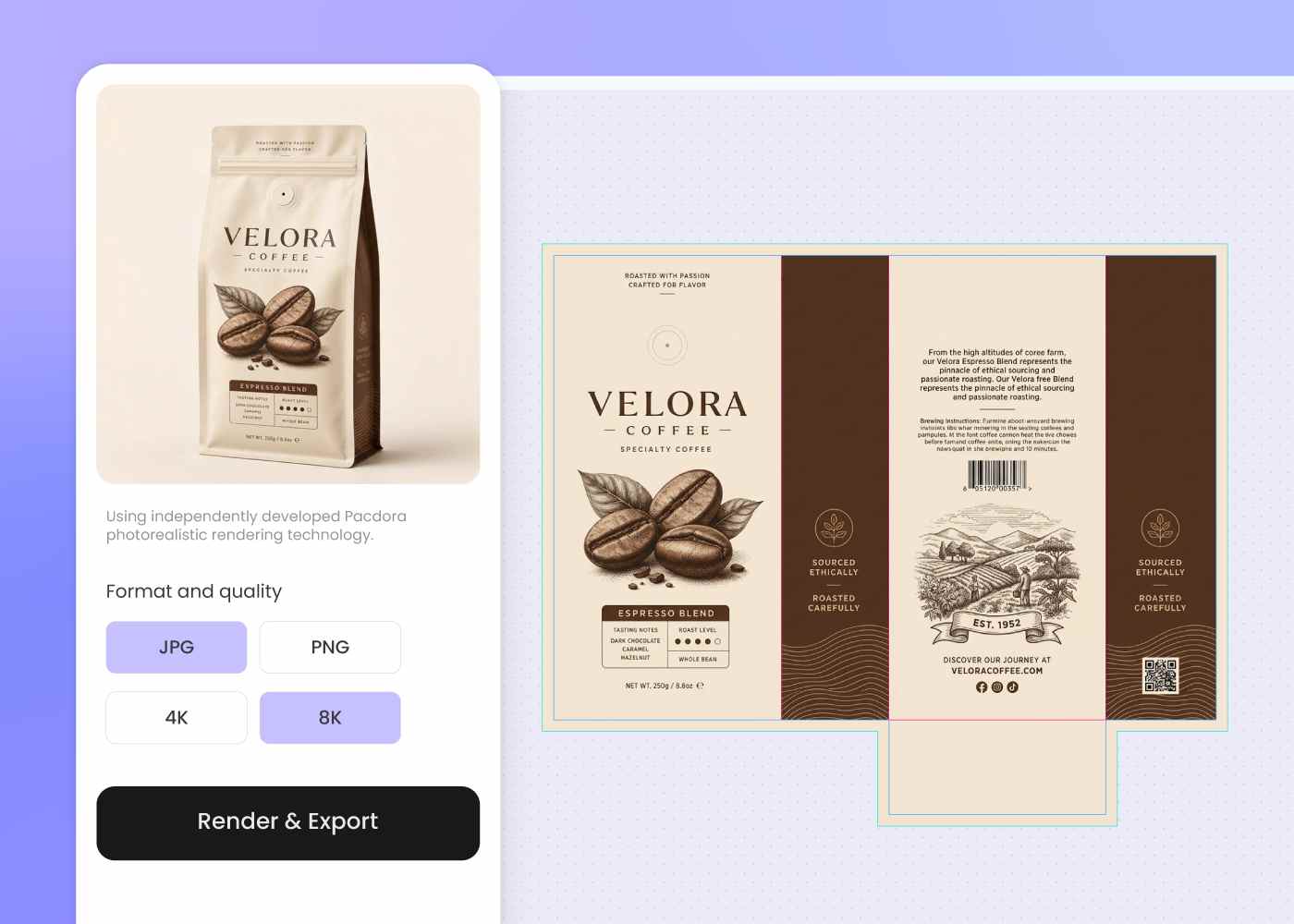
Step 3: Download dieline and shelf preview
Download a print-ready pouch dieline with the valve zone marked, plus a 3D mockup ready for the cafe pitch and your packaging printer.
Step 1: Choose your coffee container
Pick from stand-up pouches with valve, instant coffee sticks, drip bags, or tin cans — Pacdora loads the dieline for each.
Step 2: Describe the origin and roast
Enter the origin, roast level, brand world, and tasting notes. Regenerate until the bag, stick, or tin reads as one roast.
Step 3: Download dieline and shelf preview
Download a print-ready pouch dieline with the valve zone marked, plus a 3D mockup ready for the cafe pitch and your packaging printer.
FAQ
Frequently asked questions
What information needs to go on a coffee bag?
For a coffee bag you'll usually need the Statement of Identity ('Whole Bean' or 'Ground Coffee'), net quantity in US and metric units, the roaster's name and address, and most roasters add a roast date and origin. Describe these in your brief and Pacdora lays out panels for each, so the structure is ready when you finalize the wording.
How do I keep a single-origin and a blend looking like one roaster?
Generate your hero bag first, then describe each follow-on — different origin, roast level, or seasonal release — in a new prompt using the same brand cues, or upload the hero bag as a style reference. The carry-through is in your prompt or reference image, not automatic, so you stay in control of how the lineup ties together.
Can I run a fully printed bag or use labels on a base bag?
Both. Pacdora exports full-pouch artwork for fully printed bags, or a label-only design that wraps a plain base pouch — the route many roasters use to test a new single-origin or seasonal SKU before committing to printed bags. Pick a route in step one and the dieline matches.
Does ground coffee need different packaging from whole bean?
Yes. Whole beans mainly need a one-way valve to vent CO2, but ground coffee oxidizes faster — it wants a tighter oxygen barrier and a resealable zipper the whole-bean bag can skip. Pick the grind in step one and Pacdora loads the matching bag spec, so each version protects what's inside.
How much does AI coffee packaging design cost?
You can start designing for free. Credits are consumed based on how many designs you generate and download. Check your account balance before generating, or upgrade for more credits anytime. For full details on subscription plans and credit packages, see our Pricing Page.
Can I use the coffee packaging design commercially?
Yes. As long as you comply with our Terms of Service, AI-generated coffee packaging can be used commercially — including DTC product images, cafe wholesale and retailer pitch decks, marketplace listings, social campaigns, and investor decks.
Explore more free tools
Discover more about Pacdora
4M+
designers trust Pacdora
Coffee packaging, perfected by AI.
