

AI sauce packaging design
Name your sauce and its heat level — Pacdora drafts the sauce bottle label.
Trusted by leading companies


Look like a brand, not a kitchen batch
The hot-sauce shelf is a wall of near-identical red labels, and a homemade bottle reads as a hobby, not a brand.
Describe your sauce, pick a bottle, and Pacdora generates the label with flavor and heat up front. Preview it on the glass in 3D before you print a run.
Why choose Pacdora AI for your sauce packaging?
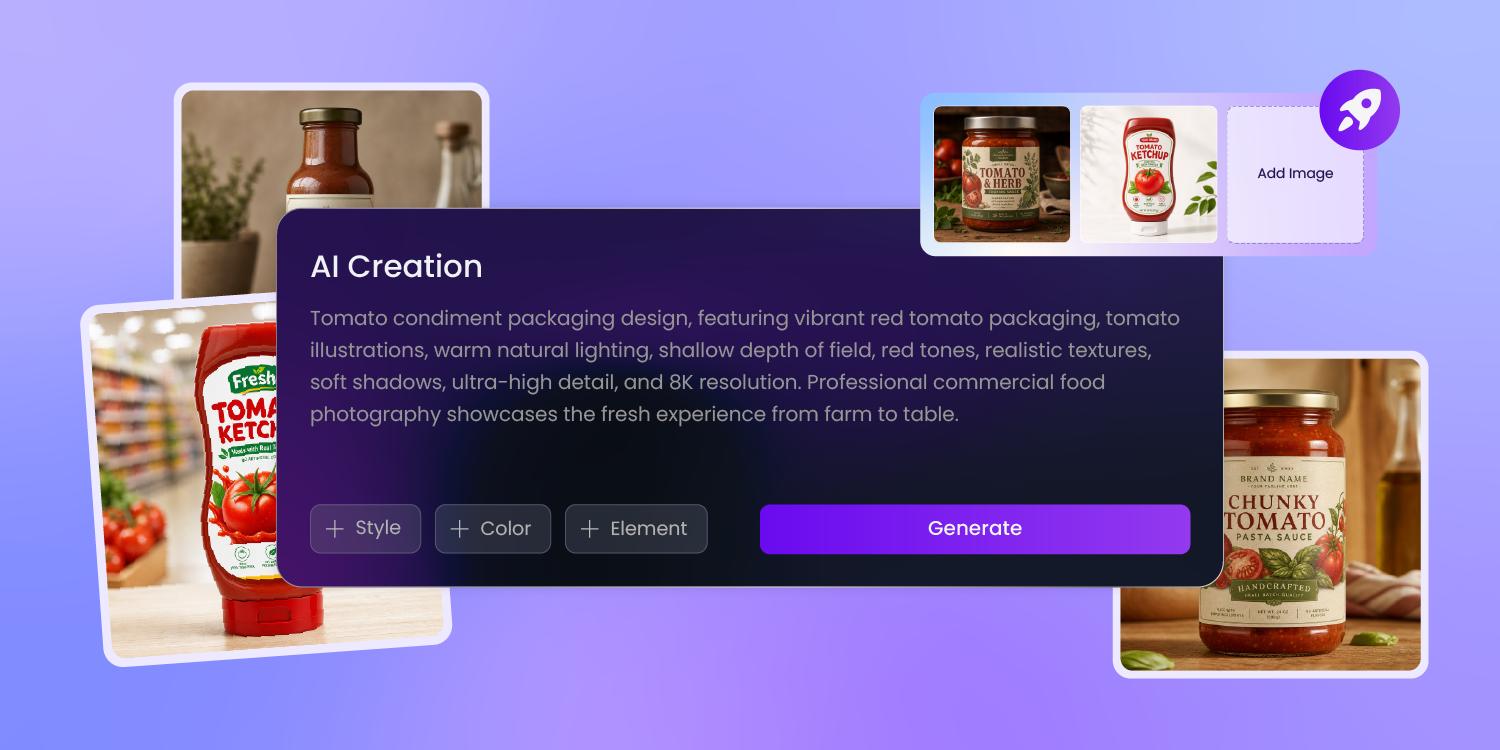
Skip the red-and-flames cliché
Most new hot sauces default to the same fiery red, the same flames, the same skull.
Pacdora generates your label in a color story that fits the flavor — a jungle green, an electric blue — then stages the bottle on a 3D shelf so you see it beside the brands it'll sit next to.
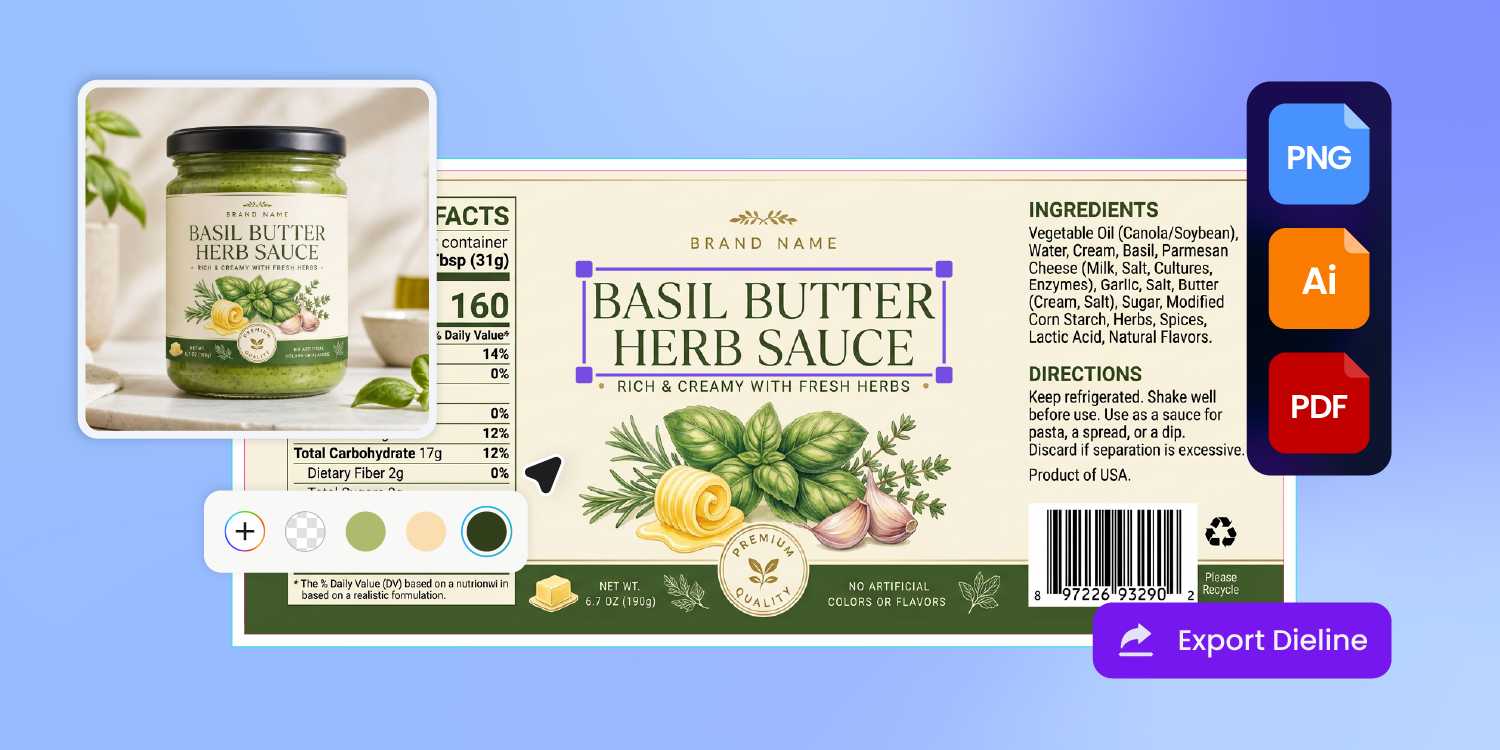
Read the heat from across the aisle
A shopper decides in seconds whether your sauce is mild or face-melting.
Pacdora drafts the heat cue and flavor name as the hero of the front label, then files the Nutrition Facts, allergens, and net weight onto the back — so the small woozy label leads with what buyers actually scan for.
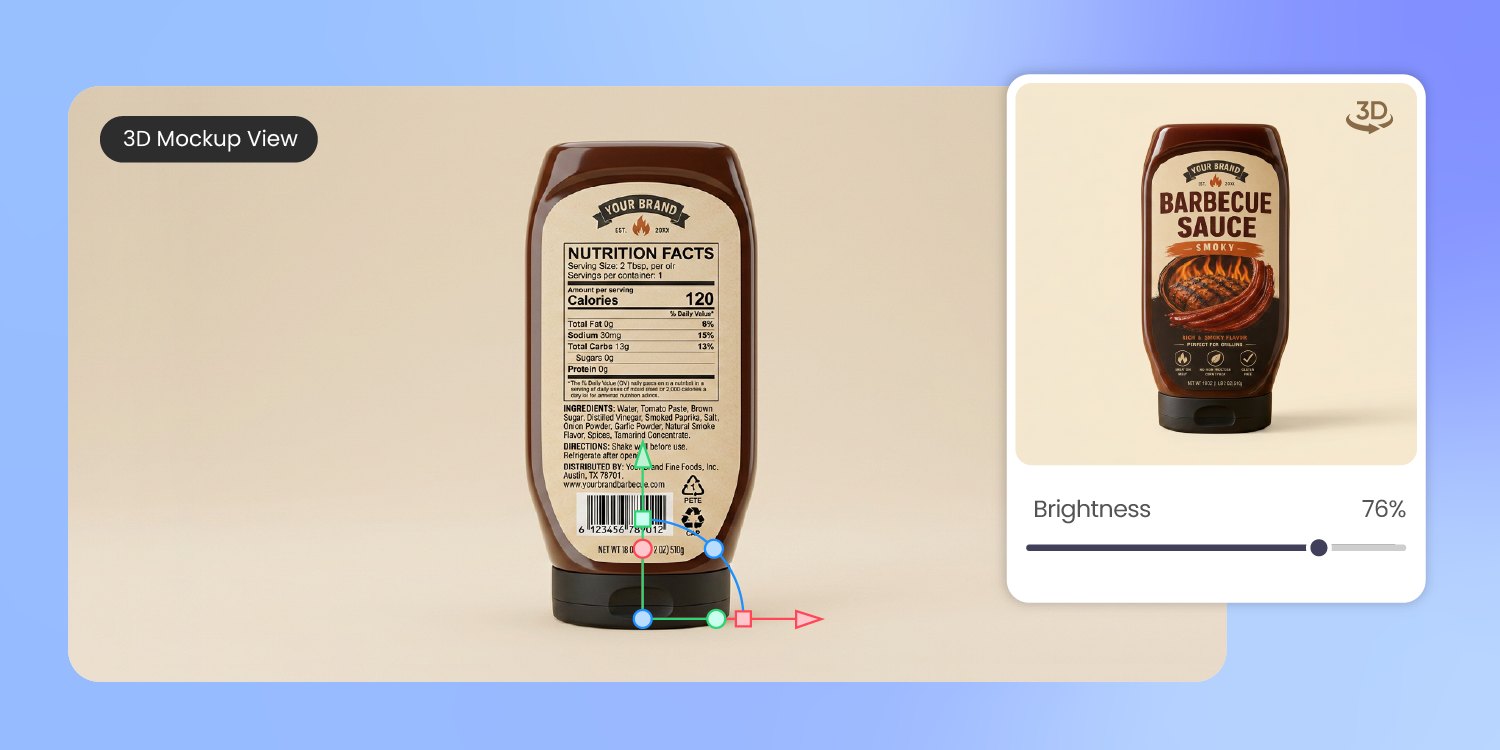
Show the sauce through the glass
A label that looks great flat can swallow the bottle once it wraps round glass and hides the sauce behind it.
We render your design on the real 3D bottle or jar — clear glass, matte, or gloss — so you see how it frames the sauce color and catches the light before a hot-fill run.
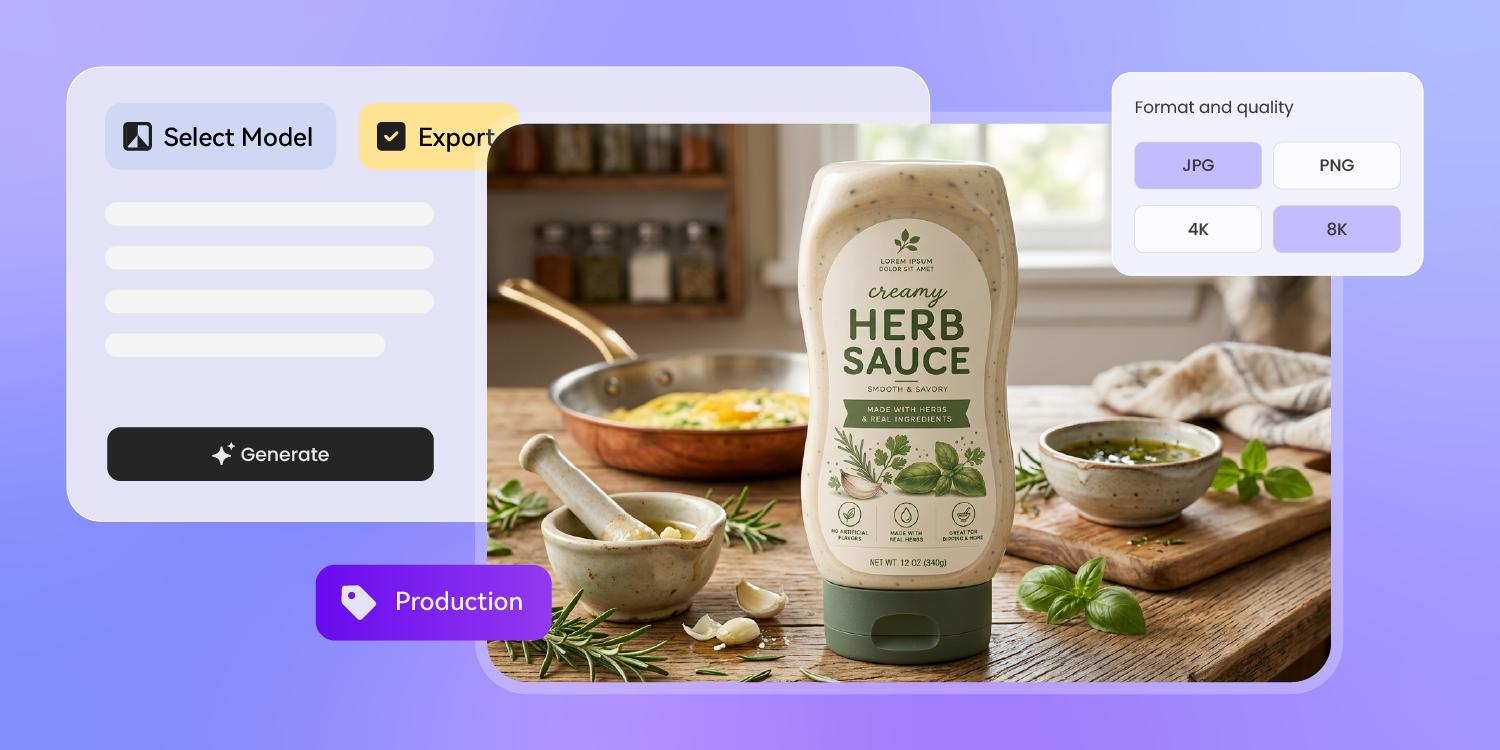
Pitch retail before you fill a batch
A sauce that crushes the farmers market still needs a buyer deck and an online page to reach real retail.
Pacdora repurposes one approved bottle into a print-ready label, a 3D render, and an Amazon listing shot — one SKU, every shelf — so you pitch before you scale a batch.
How to design sauce packaging with AI?
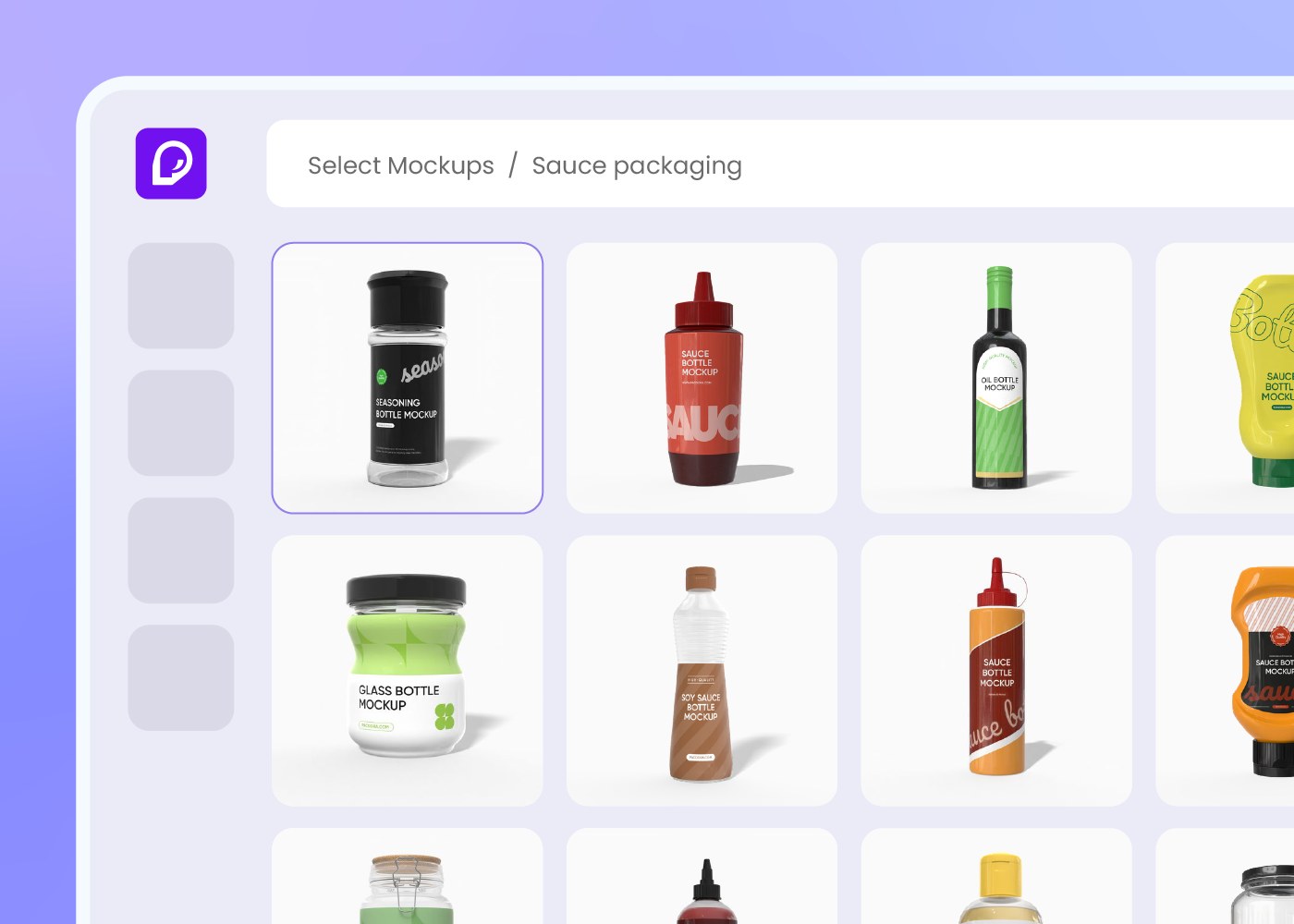
Step 1: Pick your bottle or jar
Pick a sauce package — a glass or squeeze bottle, woozy bottle, or jar — and Pacdora loads the matching dieline.
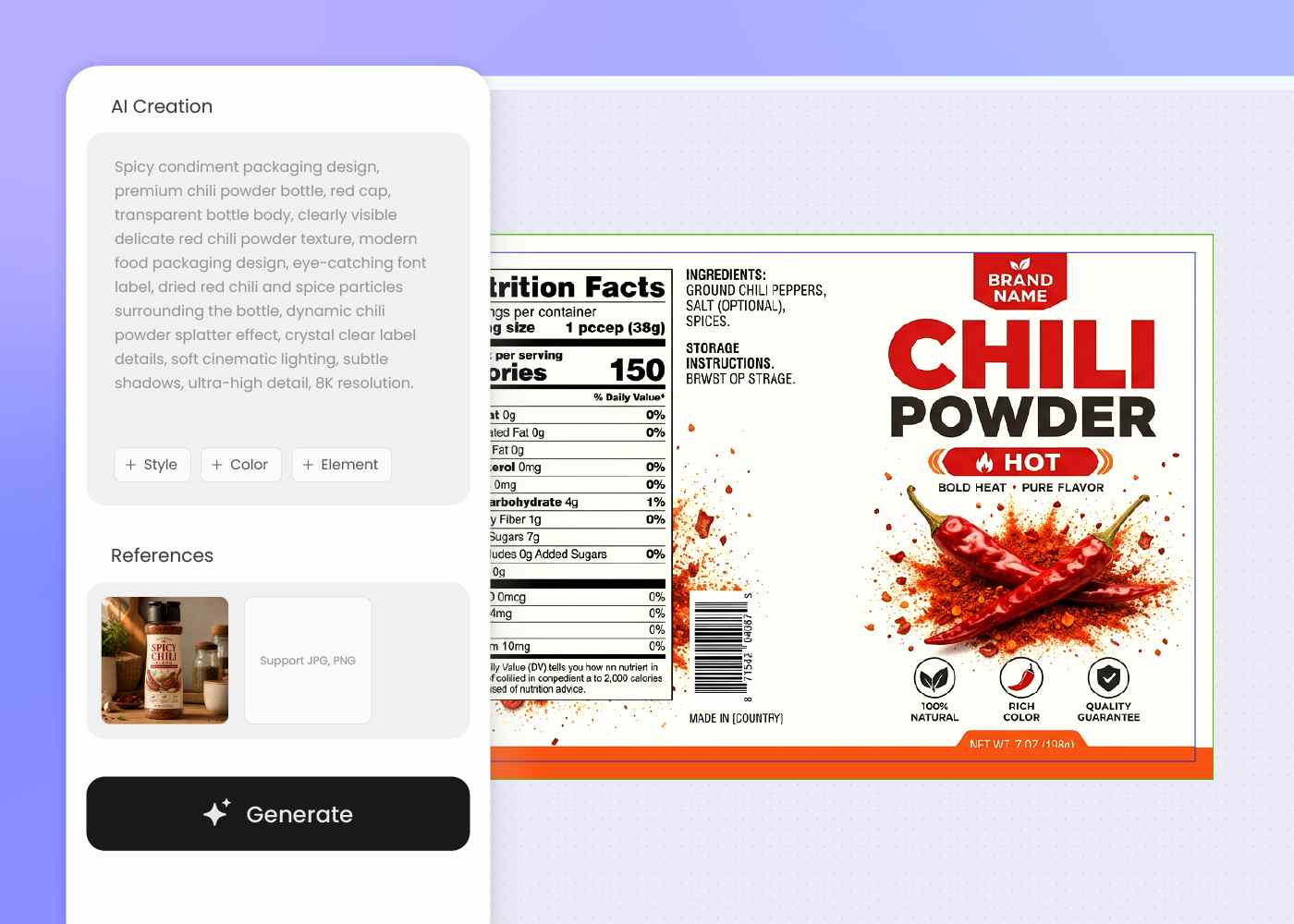
Step 2: Describe your sauce and style
Describe your sauce, flavor, heat level, and the look you want, add a reference label if you have one, then regenerate until it fits the brand.
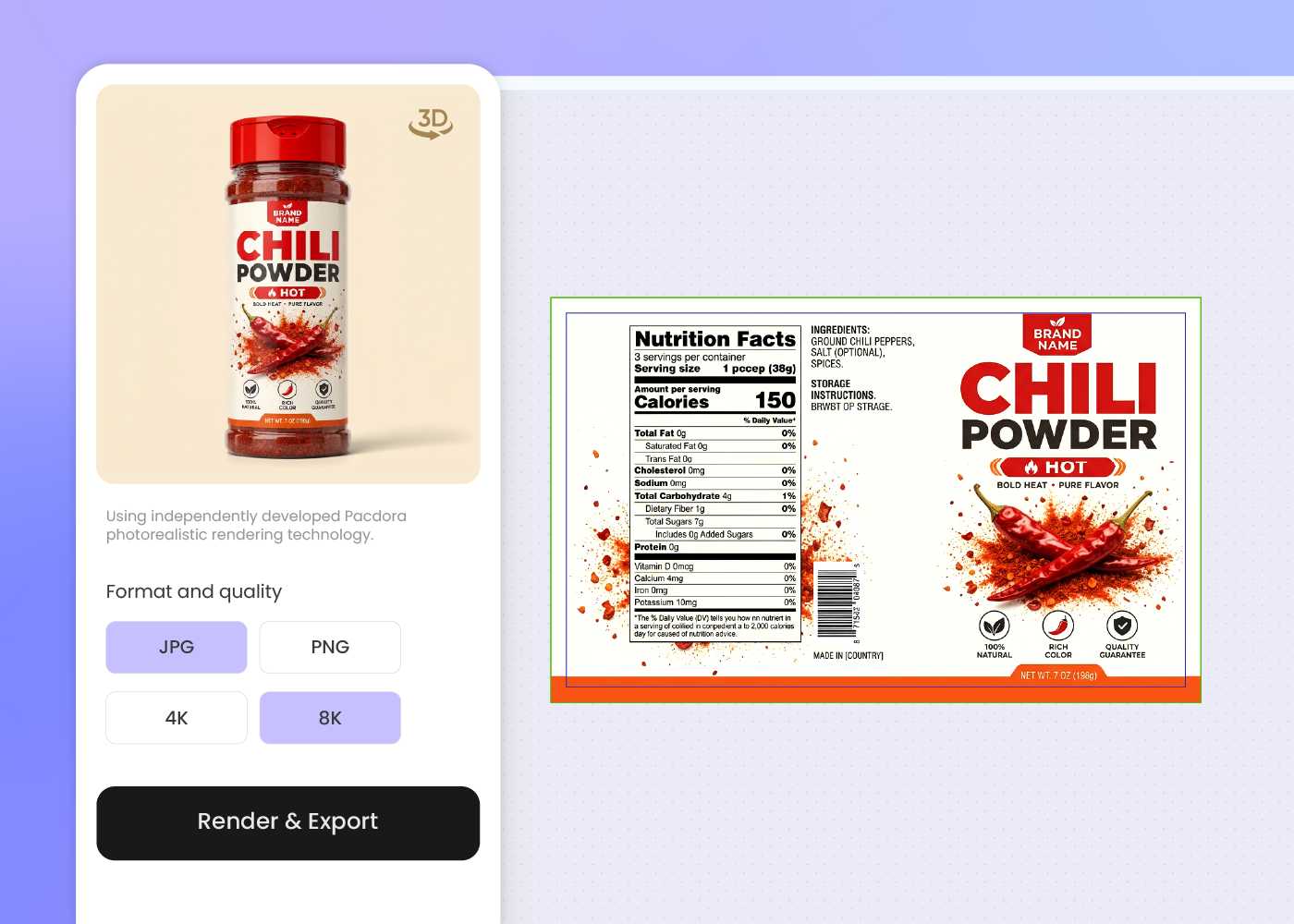
Step 3: Export and go to market
Export print-ready label artwork and 3D visuals for your co-packer, your Amazon listing, or a specialty-retail buyer deck.
Step 1: Pick your bottle or jar
Pick a sauce package — a glass or squeeze bottle, woozy bottle, or jar — and Pacdora loads the matching dieline.
Step 2: Describe your sauce and style
Describe your sauce, flavor, heat level, and the look you want, add a reference label if you have one, then regenerate until it fits the brand.
Step 3: Export and go to market
Export print-ready label artwork and 3D visuals for your co-packer, your Amazon listing, or a specialty-retail buyer deck.
FAQ
Frequently asked questions
What sauce packaging can I design with AI?
Pacdora covers the common sauce forms — glass and squeeze bottles, woozy hot-sauce bottles, and jars for salsa or pasta sauce. Pick the closest structure first, design each flavor on its own, and reuse the same palette and type so the whole line reads as one brand.
Can Pacdora lay out the Nutrition Facts and allergen copy?
Yes, at the design level. Pacdora leaves room on the back panel for your Nutrition Facts, ingredient list, net weight, and allergen statement, and exports the dieline so the layout is ready for review. It does not verify FDA compliance — your recipe formulator, a labeling reviewer, and your co-packer or printer should confirm the final wording before you print.
Can the design show the sauce color through clear glass?
Yes. Describe a clear-glass bottle and Pacdora designs around the window so the sauce stays visible, then renders it in 3D so you can see how the artwork frames the color and texture. It's an easy way to signal freshness without crowding the label.
Will the label hold up to oil, moisture, and the fridge?
Pacdora designs on cut-and-fold dielines with bleed and safe zones marked, and exports artwork your printer can run. Because sauce bottles sweat in the fridge and meet oily, messy pours, your printer still confirms a water- and oil-resistant stock — usually BOPP — and the finish before the run.
How much does AI sauce packaging design cost?
You can start designing for free. Credits are consumed based on how many designs you generate and download. Check your account balance before generating, or upgrade for more credits anytime. For full details on subscription plans and credit packages, see our Pricing Page.
Can I use the sauce packaging designs commercially?
Yes. As long as you comply with our Terms of Service, AI-generated sauce packaging can be used commercially for ecommerce listings, retail pitch decks, product launches, and production discussions with your co-packer.
Explore more free tools
Discover more about Pacdora
4M+
designers trust Pacdora
Sauce packaging, bottled by AI.
